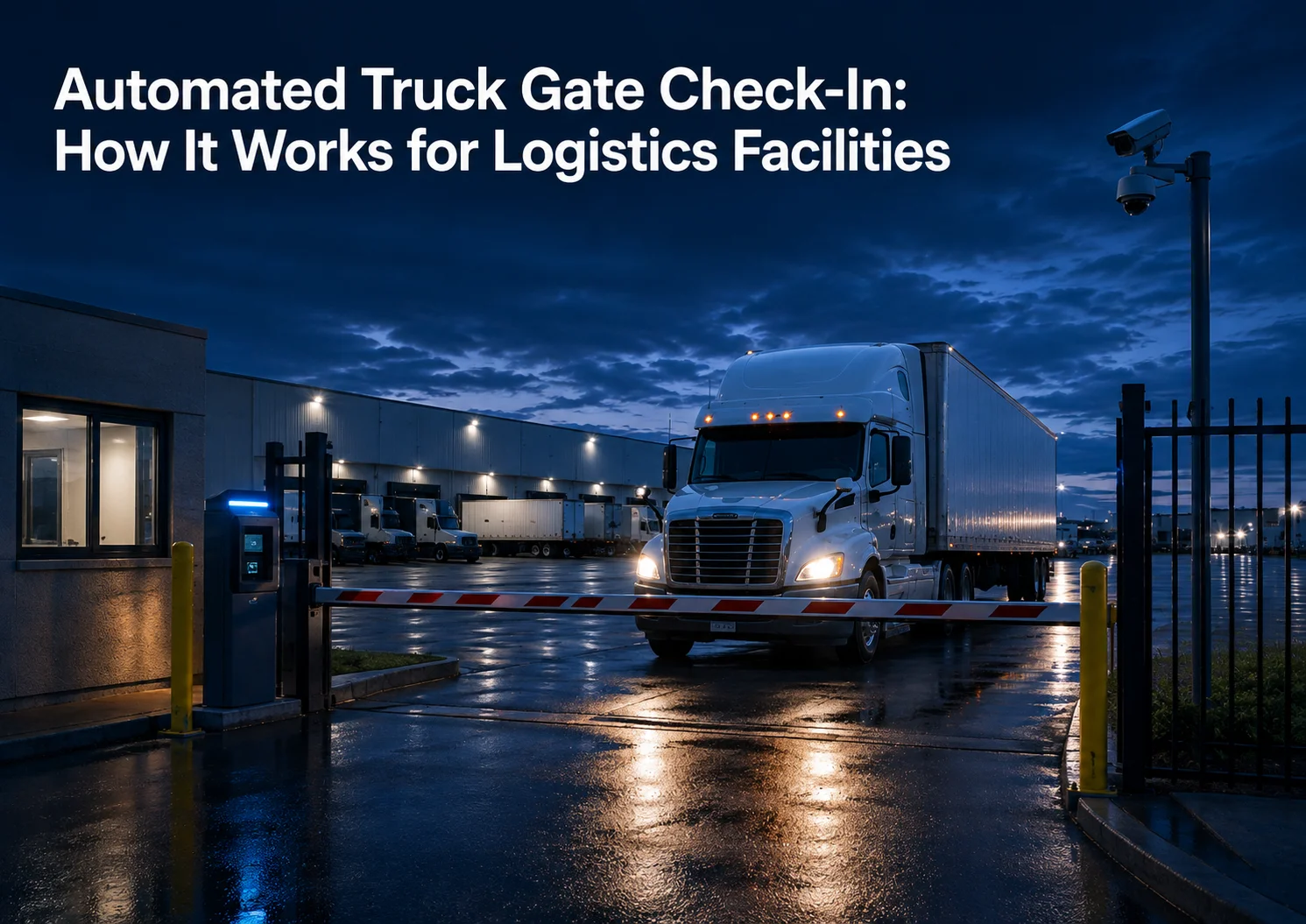
Direct Answer: What Is Automated Truck Gate Check-In?
Automated truck gate check-in is a digital gate workflow that helps logistics facilities verify drivers, document trucks and trailers, capture Bills of Lading, check seals, approve or deny access, communicate instructions, and create searchable gate transaction records.
For warehouses, distribution centers, truck yards, manufacturing sites, transportation operations, and industrial facilities, automated truck gate check-in helps replace slow manual gate processes with a more consistent, secure, and reviewable workflow.
The best systems do not rely on automation alone. They combine AI-powered monitoring, human verification, remote communication, access control, and centralized reporting so facilities can move trucks faster without losing control. And if you want a complete guide to truck yard gate automation, you are in the right place.
Birdseye supports automated truck gate check-in through GATECORE, connected with YARDCORE, SAFECORE, The Portal, AI-powered monitoring, and trained human verification.
For the full strategy behind this process, read our complete guide to truck yard gate automation.
Quick Summary: Automated Truck Check-In Workflow
| Step | What happens | Why it matters |
|---|---|---|
| Driver arrives | Cameras, intercoms, or sensors detect the truck at the gate | Starts the check-in workflow without waiting for manual attention |
| Driver is verified | Identity, carrier, appointment, pickup, or delivery details are reviewed | Reduces unauthorized access and fraudulent pickup risk |
| Vehicle and trailer are documented | Truck, trailer, license plate, and equipment details are captured | Creates a stronger gate transaction record |
| BOL is captured | Shipment documents are reviewed and connected to the event | Supports claims, disputes, audits, and cargo security |
| Seal is checked | Seal number or seal condition is documented when required | Helps protect shipment integrity |
| Access is decided | Entry is approved, denied, held, or escalated | Creates consistency across gate decisions |
| Driver receives instructions | The driver is routed to staging, dock, yard area, or exit | Reduces confusion after entry |
| Event is stored | The transaction is saved for review in a centralized system | Makes investigation and reporting easier |
Why Manual Truck Check-In Creates Delays
Manual truck check-in usually depends on a guard, paper log, phone call, camera view, and gate arm. That can work at a low-volume facility. But at a busy logistics site, the process can quickly become slow and inconsistent.
A guard may need to verify the driver, check appointment details, write down trailer numbers, review documents, call shipping or receiving, check the seal, answer driver questions, manage visitors, watch cameras, and open the gate.
That is a lot of work for one person at one control point.
The U.S. Bureau of Labor Statistics describes security guards as workers who may control access, patrol property, monitor alarms and video-surveillance systems, and write reports: BLS security guard overview.
Truck gates add another layer of complexity because they involve freight, trailers, drivers, vendors, documents, seals, appointments, and yard instructions.
Manual check-in creates delays when the gate depends too heavily on memory, paperwork, phone calls, and inconsistent shift-by-shift decisions.
Why Automated Truck Gate Check-In Matters
Automated truck gate check-in matters because the gate is where security and operations meet.
Every gate event creates a decision.
- Should this driver enter?
- Is this carrier expected?
- Does this truck match the record?
- Is this trailer correct?
- Was the Bill of Lading captured?
- Was the seal checked?
- Should this vehicle be sent to a dock, staging area, or hold lane?
- Should the event be escalated?
- Can the facility review the transaction later?
If the answer depends only on a guard’s handwritten note or a rushed phone call, the facility has a weak record.
A better check-in process creates structure.
It helps the facility know who arrived, what vehicle and trailer were involved, what documents were reviewed, what decision was made, and what happened next.
That is why automated truck gate check-in is not only a security upgrade. It is an operational control upgrade.
Automated Truck Gate Check-In vs. Manual Check-In
| Category | Manual truck check-in | Automated truck gate check-in |
|---|---|---|
| Driver verification | Depends on guard process | Structured verification workflow |
| Documentation | Paper logs, spreadsheets, or notes | Digital gate transaction records |
| BOL capture | Inconsistent or disconnected | Captured and tied to the gate event |
| Seal checks | May vary by shift | Documented in the workflow |
| Driver communication | Guard conversation or phone calls | Intercom, remote operator, or digital instructions |
| Access decision | Manual judgment | Verified approval, denial, hold, or escalation |
| Visibility | Limited to the gate booth | Remote visibility across gate lanes and cameras |
| Review | Requires searching logs and footage | Searchable event records |
| Scalability | Harder across multiple sites | Easier to standardize across facilities |
Manual check-in can staff the gate. Automated check-in helps manage the gate.
That difference matters when facilities are trying to reduce delays, improve documentation, and protect high-value freight.
Step 1: The Driver Arrives at the Gate
The automated check-in process begins when the truck arrives.
A strong system should detect the vehicle quickly and start the correct workflow. This may involve cameras, gate sensors, intercoms, remote monitoring, AI-powered detection, or a defined lane process.
The driver should not have to wait until someone notices the truck.
The facility should know that a vehicle is present, where it is positioned, and what type of check-in process should begin.
For a high-volume facility, this is important because small delays repeat all day. If every truck waits an extra few minutes at the gate, that creates lost time for drivers, carriers, yard teams, and shipping or receiving staff.
Automated arrival detection helps the gate move from reactive attention to structured processing.
Step 2: Driver Identity Is Verified
Driver verification is one of the most important parts of automated truck gate check-in.
The facility needs to confirm whether the driver is expected, authorized, and connected to the correct pickup, delivery, vendor visit, or access request.
The FBI’s cargo theft guidance recommends confirming positive identities of drivers at pickup, including driver information, truck information, trailer identifiers, and secure pickup numbers.
That principle applies directly to truck gate security.
A facility should not rely only on a familiar name, a company logo, or a driver’s verbal explanation.
Driver verification may include:
- Driver name
- Carrier information
- Appointment number
- Pickup or delivery number
- Access credentials
- Shipment reference
- Vehicle details
- Trailer details
- Site-specific instructions
- Expected arrival window
With GATECORE, Birdseye helps facilities verify drivers through a structured workflow supported by AI-powered monitoring, remote agents, and digital records.
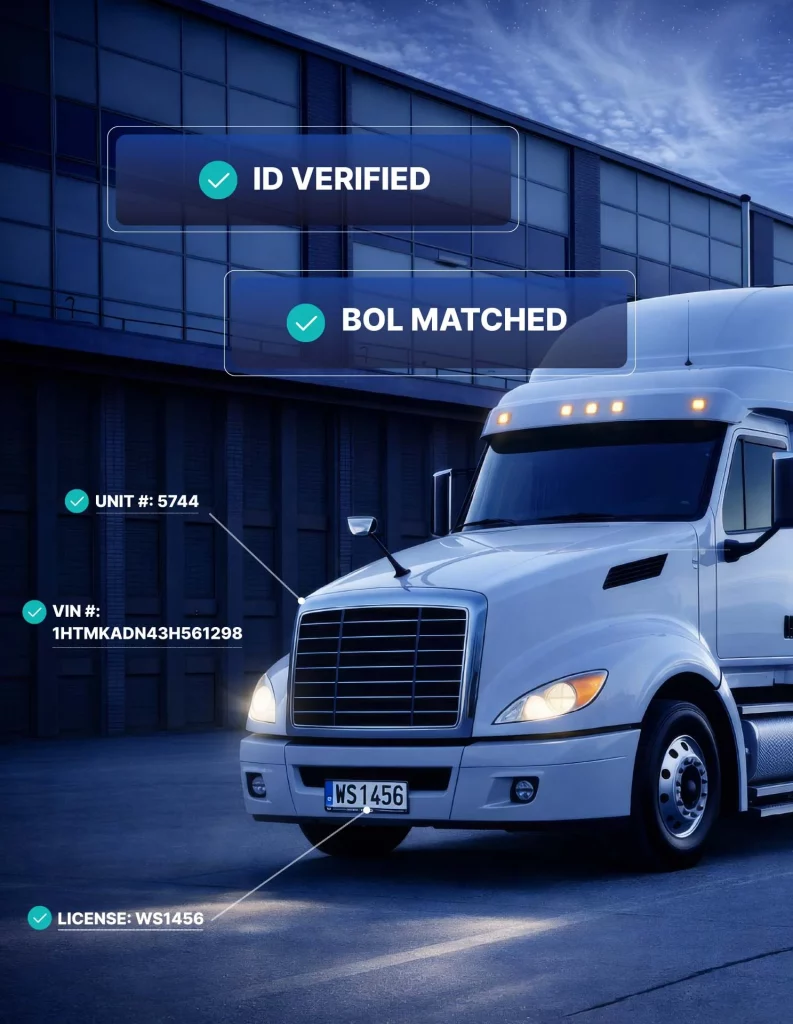
Step 3: Truck and Trailer Details Are Captured
Driver verification is important, but it is not enough by itself.
The facility also needs to capture the truck and trailer connected to the gate event.
This may include:
- Truck number
- Trailer number
- License plate
- Carrier markings
- Container number
- Chassis information
- Equipment condition
- Entry or exit direction
- Timestamp
- Camera view
- Access lane
This is where many manual check-in processes become weak.
A guard may write down the wrong trailer number. A driver may provide incomplete information. A busy gate may skip a detail. A camera may record the event, but the footage may not be connected to the gate log.
Automated truck gate check-in helps connect the driver, vehicle, trailer, and access decision into one transaction.
A truck gate record is much stronger when driver identity, vehicle data, trailer details, documents, and video are connected.
Step 4: BOLs and Shipment Documents Are Reviewed
The Bill of Lading is one of the most important documents in freight movement.
At the gate, the BOL helps confirm what shipment is connected to the driver, truck, trailer, pickup, or delivery.
In manual gate processes, document review can be inconsistent. A guard may look at the BOL but not capture it. A driver may present incomplete paperwork. A busy gate may move too quickly. A manager may later have no clean record of what was reviewed.
Automated truck gate check-in can help capture the BOL and connect it to the gate transaction.
This matters for:
- Cargo theft prevention
- Customer disputes
- Shipment claims
- Internal audits
- Compliance support
- Proof of pickup or delivery
- Exception review
- Procedure improvement
A gate event without documentation is weak.
A gate event with a captured BOL, timestamp, vehicle record, trailer record, and verification notes is much stronger.
Step 5: Seal Checks Are Documented
Seal checks help protect shipment integrity.
Depending on the facility and shipment type, a seal may need to be checked at entry, exit, dock arrival, or another defined point in the workflow.
The important issue is not only whether the seal was checked. The issue is whether the facility can prove it was checked.
CBP’s CTPAT supply chain security program is focused on protecting the supply chain, identifying security gaps, and implementing security measures and best practices. For many logistics operations, documented seal procedures are part of a stronger supply chain security mindset.
Automated truck gate check-in helps make seal checks more consistent.
The system can document seal number, seal condition, seal exception, missing seal, damaged seal, or hold-for-review status.
This helps create accountability.
A seal check that is not documented can become a problem later. A documented seal check becomes part of the facility’s security record.
Step 6: Access Is Approved, Denied, or Escalated
After the driver, truck, trailer, documents, and seal are reviewed, the system needs to support a clear access decision.
The decision may be:
- Approved entry
- Approved exit
- Denied access
- Hold for review
- Send to staging
- Send to dock
- Contact site manager
- Escalate exception
- Request more information
- Document unusual activity
This is where automation should support the process, not replace judgment.
A routine inbound delivery may be approved quickly. A mismatched trailer may need review. A missing BOL may require escalation. A damaged seal may require site contact approval. An after-hours arrival may need a special workflow.
The best automated truck gate check-in systems do not treat every driver the same. They route each event through the correct facility-specific process.
That is why human verification is still important.
Step 7: The Driver Receives Yard Instructions
Access approval is not the end of the gate process. After a driver enters, the facility still needs to control what happens next.
The driver may need to go to a dock, staging lane, trailer drop area, scale, receiving office, inspection point, waiting area, or exit route. If instructions are unclear, the yard can become chaotic.
A driver may go to the wrong dock. A trailer may be dropped in the wrong row. A truck may block traffic. A vendor may enter a restricted zone. A driver may wait in the wrong place and create delays.
Automated truck gate check-in can help provide clear instructions at the gate.
When connected with YARDCORE, the facility can extend visibility beyond entry and monitor what happens after access is granted.
This is important because the gate should not only answer “Can this truck enter?”
It should also support “Where should this truck go next?”
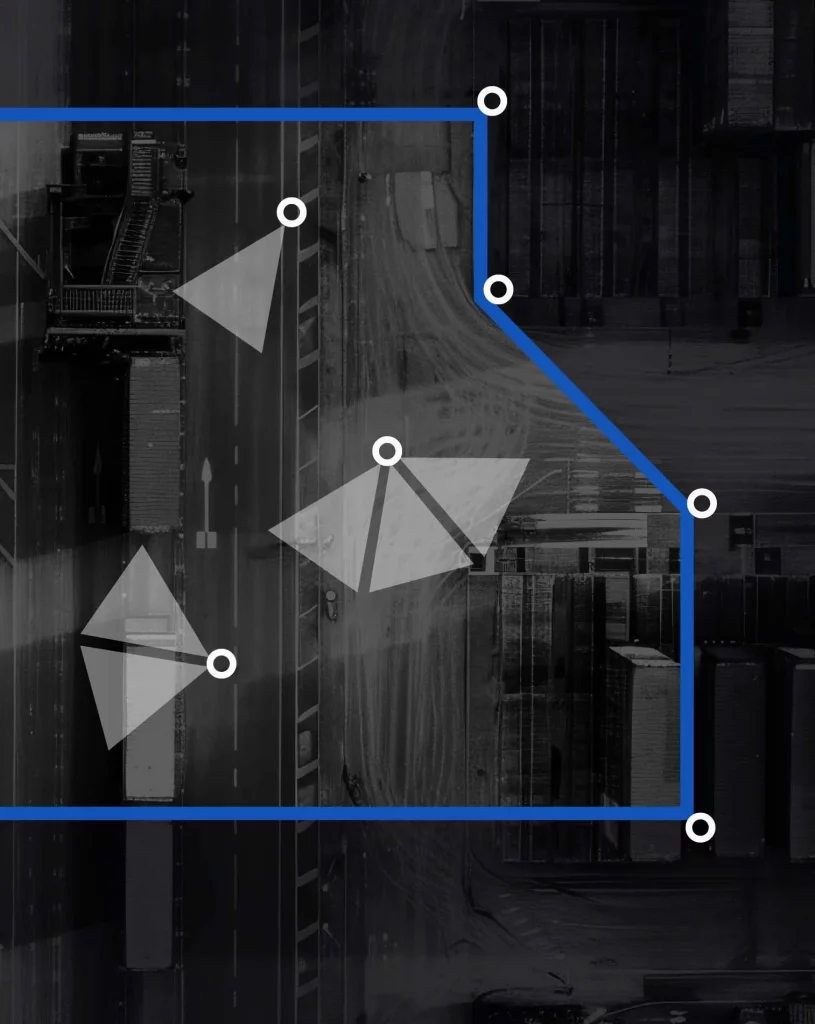
Step 8: The Gate Transaction Is Stored for Review
The final step is documentation.
Every important gate event should become a searchable record.
A strong gate transaction record may include:
- Driver details
- Carrier information
- Truck number
- Trailer number
- License plate
- BOL capture
- Seal check
- Entry or exit time
- Access decision
- Exception notes
- Remote agent action
- Video-backed evidence
- Related yard activity
- Related perimeter activity
This is where The Portal becomes important.
The Portal helps centralize gate transactions, yard events, perimeter alerts, incident records, and operational activity in one place.
Without centralized reporting, teams may need to search through camera footage, paper logs, emails, phone calls, spreadsheets, and memory.
With centralized reporting, teams can review the event faster and with more confidence.
Automated check-in is not complete until the transaction becomes a usable record.
Why Human Verification Still Matters
Automation can make the gate faster, but human verification makes the gate smarter.
A fully automated system may work well for simple repeatable events, but logistics facilities are full of exceptions.
- Drivers arrive early.
- Appointments change.
- Carrier information does not match.
- Trailer numbers are wrong.
- BOLs are unclear.
- Seals are damaged.
- Vendors arrive unexpectedly.
- After-hours access is requested.
- A shipment needs special handling.
AI and automation can help detect and organize these events. But a trained human agent can review context, follow the facility’s procedure, communicate with the driver, and escalate when needed.
The Monitoring Association’s AVS-01 Alarm Validation Scoring Standard reflects the broader security industry move toward stronger alarm validation and better response prioritization.
The same idea applies to truck gate activity.
A gate event should not just trigger an automatic action. It should be verified when the context matters.
The strongest gate model is not automation instead of people. It is automation with human verification.
How Automated Check-In Helps Reduce Guard Workload
Many facilities want automated truck gate check-in because guard-heavy operations are expensive and hard to scale.
But the best goal is not simply to remove every guard. The better goal is to reduce repetitive manual work and keep human oversight where it matters most.
Automated check-in can reduce guard workload by standardizing:
- Driver verification
- Appointment checks
- Vehicle and trailer logging
- License plate capture
- BOL documentation
- Seal check records
- Access decisions
- Exception routing
- Remote communication
- Transaction reporting
This allows on-site staff to focus on tasks that truly require physical presence.
Some facilities may still use guards for inspections, emergency response, visitor management, or special high-risk workflows. Others may shift more of the gate process to remote management.
The right model depends on the facility.
Automated truck gate check-in gives operators flexibility without losing control.
For more on this labor and operations angle, read our guide to alternatives to security guards at truck gates.
How GATECORE Supports Automated Truck Gate Check-In
GATECORE is Birdseye’s gate automation and gate management solution for industrial and logistics facilities.
It is built for the real work that happens at truck gates: drivers, vehicles, trailers, documents, seals, access decisions, exceptions, and records.
GATECORE supports:
- Driver verification
- Vehicle and trailer logging
- License plate capture
- BOL documentation
- Seal checks
- Access workflows
- Gate transaction records
- Remote supervision
- Exception handling
- Video-backed review
This helps facilities move away from paper logs, inconsistent guard notes, disconnected cameras, and after-the-fact investigation.
The gate becomes a structured workflow.
The facility gains a cleaner record of who entered, what was involved, what was reviewed, what decision was made, and what happened next.
How YARDCORE Completes the Workflow After Entry
Automated check-in should not stop at the gate.
Once the driver enters, the yard becomes the next visibility layer.
Trucks move. Trailers are dropped. Drivers wait. Vendors enter operational zones. Employees cross traffic areas. Equipment and freight may sit outside. Safety and procedure issues may appear away from the gate.
YARDCORE helps facilities supervise yard activity after access is granted.
This matters because many problems happen after a clean gate transaction.
A driver may enter correctly but go to the wrong area. A trailer may be dropped in the wrong row. A vehicle may move through a restricted zone. A vendor may cross into an operational area. A safety concern may develop near docks or traffic lanes.
YARDCORE helps teams see those events sooner and connect them to the larger facility record.
How SAFECORE Protects the Perimeter Around the Gate and Yard
Gate check-in controls expected access.
Perimeter monitoring helps detect unexpected access.
Both matter.
Fence lines, side gates, outdoor storage areas, trailer rows, employee lots, and restricted zones can all create exposure. If suspicious activity happens outside the normal gate workflow, the facility needs real-time detection and verification.
CISA provides physical security resources that support the importance of facility-level security planning, prevention, and resilience.
SAFECORE helps facilities protect perimeter areas with AI-powered detection, human verification, live intervention, escalation procedures, and incident documentation.
When SAFECORE connects with GATECORE and YARDCORE, the facility gets a clearer picture.
- The gate shows who entered.
- The yard shows what happened after entry.
- The perimeter shows whether unexpected activity occurred around the property.
That is the difference between isolated tools and connected facility supervision.

How The Portal Turns Check-In Into Operational Intelligence
A gate transaction is valuable only if the team can use it later.
The Portal helps Birdseye customers centralize gate, yard, perimeter, and incident activity.
That means managers can review gate events, verify transaction records, investigate exceptions, review incident history, and improve procedures without jumping between disconnected systems.
The Portal supports:
- Security review
- Customer disputes
- Cargo claims
- Compliance support
- Internal audits
- Procedure improvement
- Multi-site visibility
- Leadership reporting
- Training and accountability
For logistics facilities, this matters because gate activity touches many teams.
- Security cares about access.
- Operations cares about flow.
- Transportation cares about driver movement.
- Customer service cares about shipment questions.
- Leadership cares about cost, risk, and performance.
The Portal gives those teams a cleaner way to understand what happened.
What Problems Does Automated Truck Gate Check-In Solve?
Slow Gate Lines
Manual check-in can create long lines during peak arrival windows. Drivers wait while guards review documents, call supervisors, write notes, inspect information, and open the gate.
Automated check-in helps standardize the process and reduce repeated manual friction.
Inconsistent Driver Verification
Without a structured workflow, driver verification can vary by shift, training, workload, or pressure.
Automated check-in helps make verification more consistent across every gate event.
Poor BOL and Seal Documentation
BOLs and seal checks are often reviewed manually but not documented well.
Automated check-in helps capture these details and connect them to the gate transaction.
Weak Gate Records
Paper logs can be incomplete, hard to read, and disconnected from video footage.
Digital gate transaction records make review easier.
Too Much Guard Dependency
Guard-only operations can be difficult to staff and scale.
Automated check-in can reduce repetitive guard workload while keeping human verification where context matters.
Lack of Yard Handoff
A truck may enter the gate but still create confusion in the yard.
Automated check-in can support clearer instructions and better connection to yard visibility.
Difficult Incident Review
When something goes wrong, teams need answers quickly Automated check-in helps create a record that can be searched, reviewed, and connected to related yard or perimeter activity.
What Should Automated Truck Gate Check-In Track?
A good automated truck gate check-in process should track the information that matters before, during, and after access.
This may include:
- Driver name
- Carrier information
- Appointment or reference number
- Pickup or delivery number
- Truck number
- Trailer number
- License plate
- Container or chassis number
- BOL capture
- Seal number
- Seal condition
- Entry timestamp
- Exit timestamp
- Access decision
- Exception type
- Remote agent notes
- Audio or communication history
- Video-backed evidence
- Yard destination
- Related perimeter event
- Final transaction record
The exact fields depend on the facility.
The principle is simple: If the detail would matter during a claim, dispute, audit, investigation, or cargo theft review, it should not live only in someone’s memory.
Who Needs Automated Truck Gate Check-In?
Automated truck gate check-in is especially useful for facilities with high truck volume, frequent driver traffic, manual logs, security guard dependency, cargo theft risk, or customer documentation requirements.
This includes:
- Warehouses
- Distribution centers
- Manufacturing facilities
- Truck terminals
- Cross-dock operations
- Automotive yards
- Food and beverage distribution sites
- Third-party logistics providers
- Retail distribution centers
- Outdoor storage yards
- Port-adjacent logistics sites
- High-volume shipping and receiving facilities
- Multi-site logistics networks
The more traffic and exceptions a facility has, the more valuable structured check-in becomes.
Signs Your Facility Needs Automated Truck Gate Check-In
A facility may need automated check-in if any of these problems are common:
- Drivers wait too long at the gate.
- Guards are overwhelmed during peak traffic.
- Paper logs are incomplete.
- Trailer numbers are hard to verify later.
- BOLs are not captured consistently.
- Seal checks are not documented.
- Gate procedures vary by shift.
- Site managers get too many gate calls.
- Customers ask for proof the team cannot quickly provide.
- Yard teams do not know what happened after entry.
- After-hours access is difficult to control.
- Security guard costs keep rising.
- Incident review takes too long.
- Multi-site gate reporting is inconsistent.
These are signs that the gate process needs more structure.
Common Mistakes With Automated Truck Gate Check-In
Mistake 1: Automating a Bad Workflow
Automation does not fix a weak process. If the facility has unclear rules, poor documentation, inconsistent escalation, and no defined check-in standards, automation may only make the confusion happen faster.
Before implementation, the facility should define:
- Who needs verification?
- What information must be captured?
- When should BOLs be documented?
- When should seals be checked?
- What exceptions require escalation?
- Who approves access?
- What should be stored for review?
Mistake 2: Treating Cameras as Check-In
A camera is not automated check-in. A camera shows that a truck arrived. Automated check-in verifies the driver, documents the vehicle and trailer, captures documents, checks seals, supports access decisions, communicates instructions, and stores the record.
Visibility matters, but workflow matters more.
Mistake 3: Ignoring Exit Events
Exit control is just as important as entry control.
A truck leaving the facility may carry freight, an empty trailer, returned goods, equipment, or customer property. Automated truck gate check-in should support both entry and exit workflows.
Mistake 4: Removing Human Judgment Completely
Fully automated access may sound efficient, but truck gates are full of exceptions.
A mismatched trailer, damaged seal, missing document, unexpected driver, or after-hours request may need human judgment.
The best approach combines automation with trained human verification.
Mistake 5: Keeping Gate Records Separate From Yard Activity
If gate records and yard activity are disconnected, the facility still has visibility gaps.
The gate should connect to the yard. That is why GATECORE and YARDCORE belong in the same facility supervision model.
What to Ask Before Choosing an Automated Truck Gate Check-In System
Before choosing a system, facility leaders should ask:
- Can the system verify drivers?
- Can it document trucks and trailers?
- Can it capture license plates?
- Can it capture BOLs?
- Can it document seal checks?
- Can it support both entry and exit?
- Can remote agents communicate with drivers?
- Can it handle exceptions?
- Does it use AI with human verification?
- Can it connect to yard visibility?
- Can it connect to perimeter monitoring?
- Can managers review transactions later?
- Can it support multi-site reporting?
- Can it reduce guard workload?
- Can it create records useful for claims, audits, and investigations?
- Does the provider understand logistics and industrial facilities?
A good system should not only open a gate.
It should improve control.
Key Metrics to Track After Automated Check-In
Automated truck gate check-in should be measured.
Useful metrics include:
- Average gate processing time
- Median gate processing time
- Peak-hour wait time
- Verified driver count
- Gate transaction volume
- Inbound vs. outbound transactions
- Held or denied access events
- BOL capture rate
- Seal check completion rate
- Seal exceptions
- Trailer mismatch events
- Missing appointment events
- After-hours access events
- Remote agent interventions
- Gate-related customer disputes
- Incident review time
- Guard hours reduced or redeployed
- Yard exceptions connected to gate activity
These metrics help show whether the system is actually improving operations.
They also help leadership understand the value of gate automation beyond security.
Final Takeaway: Automated Truck Gate Check-In Is About Verified Control
Automated truck gate check-in is not just a faster way to open a gate.
It is a better way to control access, verify drivers, document vehicles and trailers, capture shipment details, check seals, route traffic, handle exceptions, and review activity later.
For logistics and industrial facilities, the gate is too important to manage with inconsistent manual processes.
A modern gate needs automation, but it also needs human verification.
Birdseye helps facilities build that model with GATECORE, YARDCORE, SAFECORE, The Portal, AI-powered monitoring, and trained human verification.
The result is a gate process that is faster, more consistent, better documented, and easier to manage.
FAQs About Automated Truck Gate Check-In
What is automated truck gate check-in?
Automated truck gate check-in is a digital workflow that helps facilities verify drivers, document vehicles and trailers, capture shipment documents, check seals, approve or deny access, communicate instructions, and create gate transaction records.
How does automated truck gate check-in work?
It works by detecting the arriving truck, verifying the driver, capturing truck and trailer details, reviewing BOLs, documenting seal checks, making an access decision, giving the driver instructions, and storing the gate event for later review.
Can automated truck gate check-in replace security guards?
It can reduce guard dependency in many facilities, but it does not always replace every guard. Some facilities still use guards for physical inspections, emergency response, customer requirements, or site-specific tasks.
Why is human verification important in automated check-in?
Human verification is important because truck gates have many exceptions. Drivers may arrive early, documents may be unclear, trailers may not match, seals may be damaged, and after-hours access may require judgment.
Does automated truck gate check-in help prevent cargo theft?
Yes. It can help reduce cargo theft risk by improving driver verification, vehicle and trailer logging, BOL capture, seal documentation, access decisions, and transaction records.
What should an automated truck check-in system document?
It should document driver details, carrier information, vehicle data, trailer numbers, license plates, BOLs, seal checks, timestamps, access decisions, exception notes, video evidence, and related yard or perimeter activity.
How does Birdseye support automated truck gate check-in?
Birdseye supports automated truck gate check-in through GATECORE for gate verification, YARDCORE for yard visibility, SAFECORE for perimeter protection, and The Portal for centralized reporting and event review.